Ask for it. The AI does it.
Type “add a testimonials section” or select a block and say “make this bolder”. Every change stays inside your site’s colours and fonts, and one click undoes it.
AIStart from a finished theme, then click anything to change it — or just ask for the change in plain English.
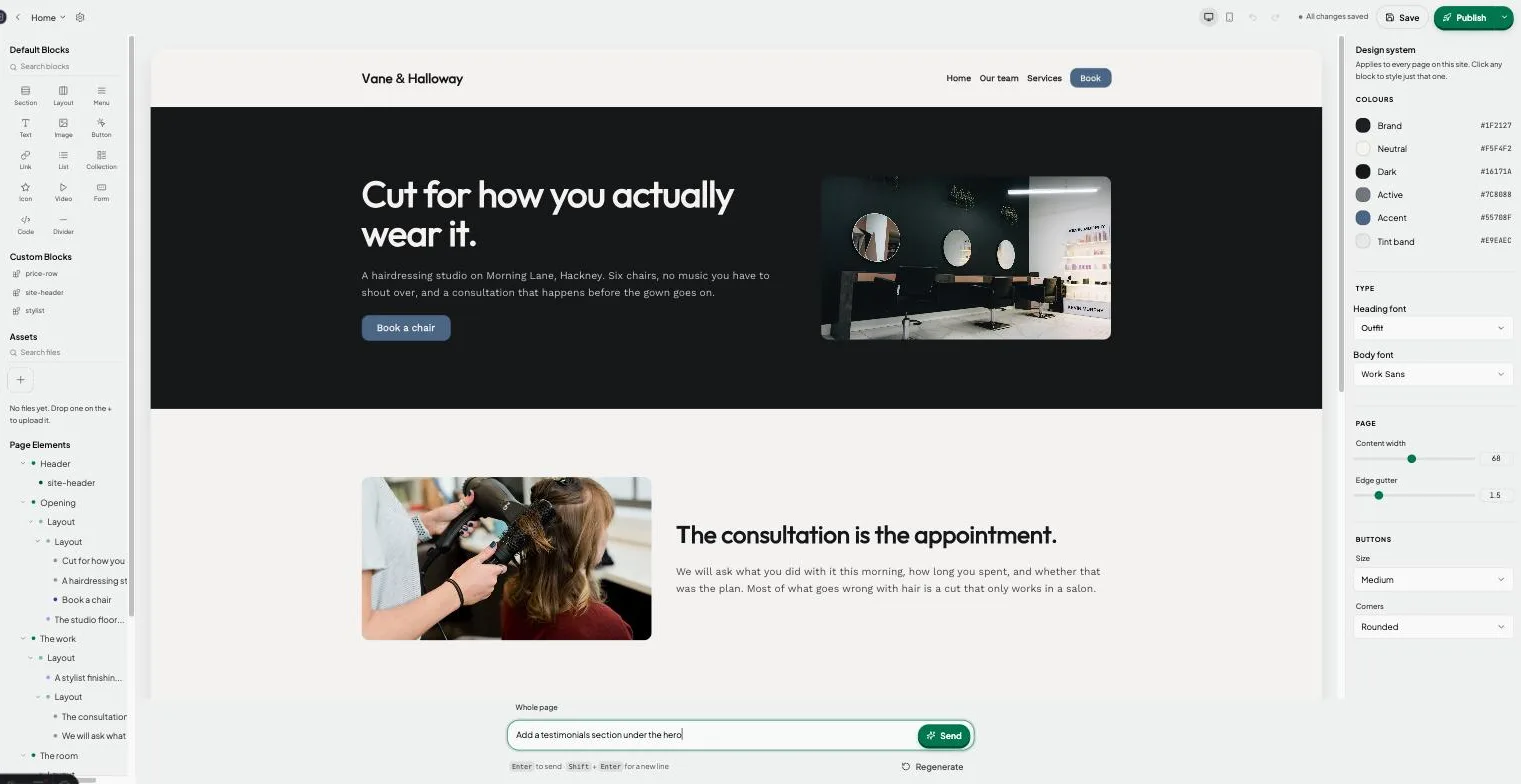
Type “add a testimonials section” or select a block and say “make this bolder”. Every change stays inside your site’s colours and fonts, and one click undoes it.
AIPick a theme with real pages and words already in place, then make it yours.
Text, photos, spacing, corners. Drag blocks to reorder them.
Drop in a booking or enquiry form. Every submission lands in your inbox — no plug-in, no extra account.
Preview the phone view as you edit. Menus fold away on their own.
Point your domain at Joybird. SSL is set up for you.
Real websites, live before your coffee gets cold — no designer, no developer, no weekend lost.
Each one is a whole working site — pages, words and pictures already in place. Open a demo and click around first if you like.
Swap in your words and photos, set your colours and fonts once, and ask the AI for anything you’d rather not do by hand.
Hit publish. Your site is live on a free joybird.ai address, or on your own domain with SSL on the Pro plan.
Everything you need to get online.
$0 /month
Most popular
For your business, on your domain.
$9 /month
No. Start from a theme, click anything to change it, or type what you want and the AI makes the change. No code either way.
The free plan has no time limit and needs no credit card. Pro adds your own domain, unlimited sites and pages, more AI and no Joybird badge — see the plans above.
Yes, on Pro. Point a domain you already own at Joybird and SSL is set up for you. Joybird tells you when it goes live.
Yes. Preview the phone view as you edit, menus fold behind a button on their own, and you can hide or show any block per screen size.
No credit card. No time limit on the free plan. Cancel whenever.