See exactly what you get.

Every picture on this page is a screenshot of Joybird as it is today: the same editor you’ll use the day you sign up.

Start from a site that already looks finished.

Every theme is a whole working site, with pages, words and pictures already in place. Open a demo, click through it, change things. Nothing you do in a demo is saved.

  • A portfolio, a writing blog and a salon site to start
  • Real pages, not empty layouts
  • Try the editor on a demo before you sign up
Browse the themes →
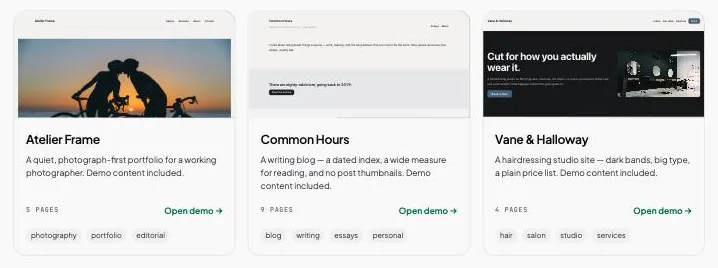
The Joybird theme gallery: Atelier Frame, Common Hours and Vane & Halloway, each with a live preview.

Click anything, change it.

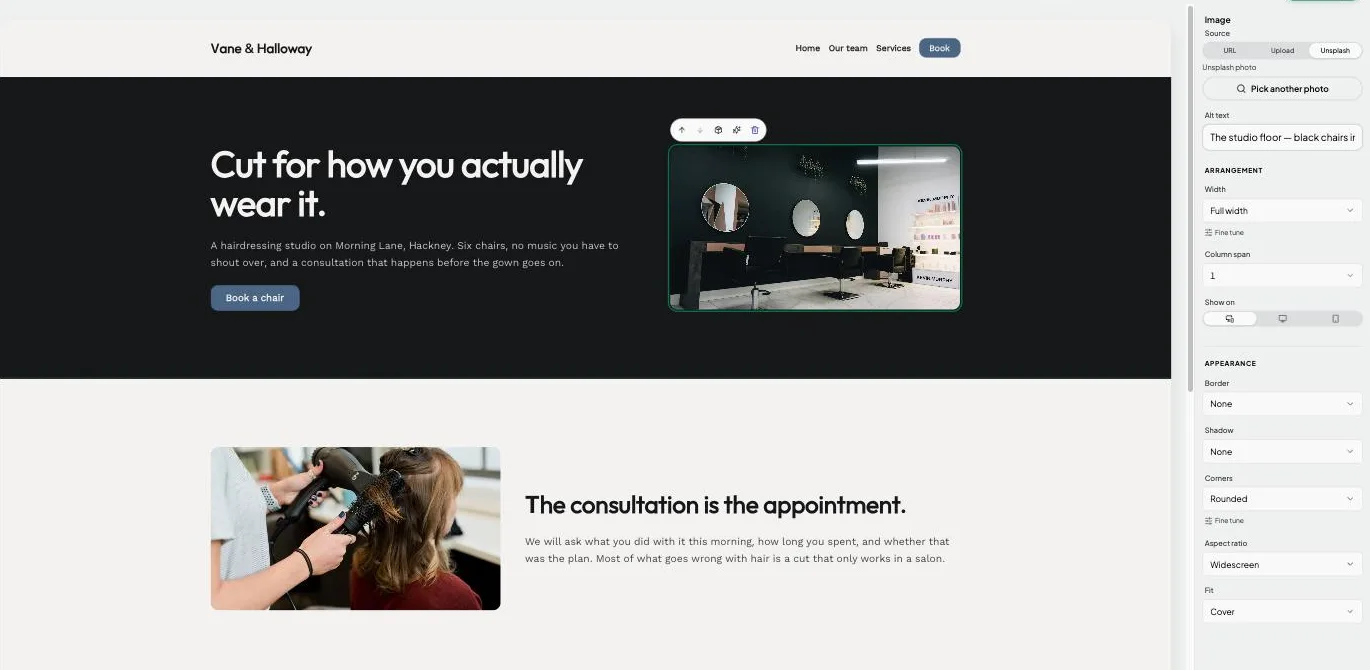
The page you edit is the page you publish. Select a block and its settings open on the right: width, spacing, corners, shadow, and which screens it shows on.

  • Drag blocks to reorder them
  • Upload photos or pick one from Unsplash
  • Undo and redo for every change
A photo selected in the Joybird editor, with its source, width, corners and aspect ratio settings in the panel beside it.

Ask for the change instead.

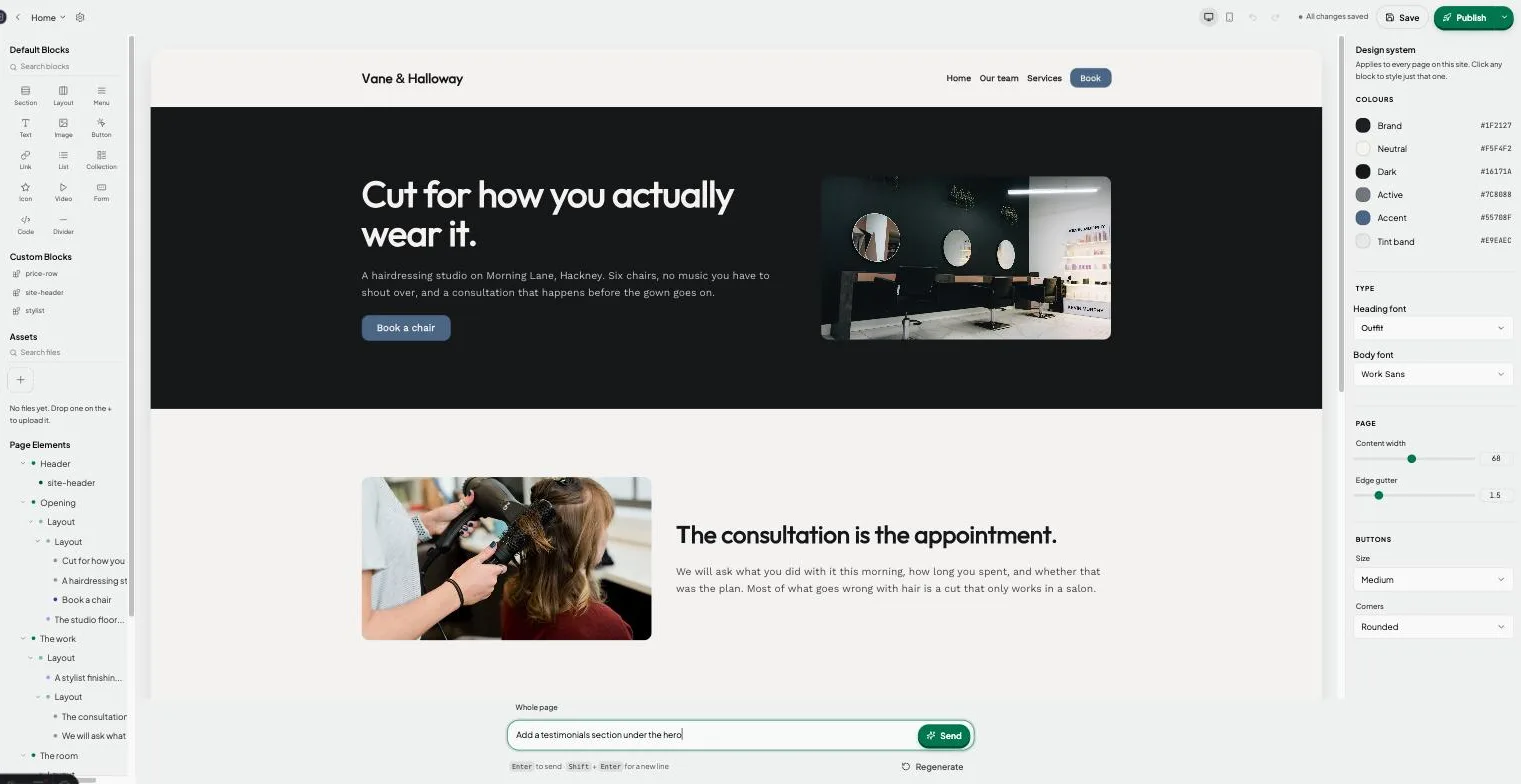
Type what you want under the page: “add a testimonials section”, “tighten the copy”. Select a block first and the request only touches that block. Each change uses your site’s own colours and fonts, and one click undoes it.

  • Suggestions to start from if the box is empty
  • Regenerate when the first try is not right
  • Works on the whole page or one block
The Joybird editor with the prompt box open, asking to add a testimonials section under the hero.

Check the phone view as you go.

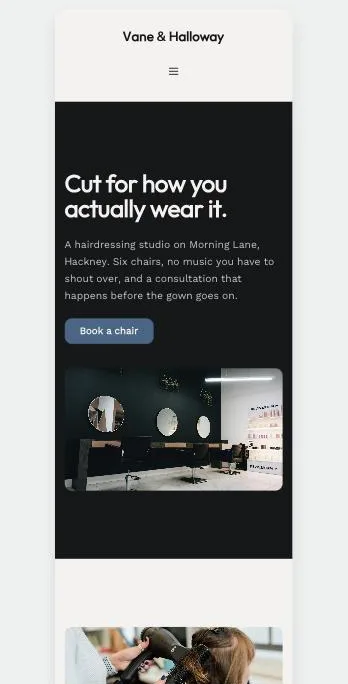
Switch the canvas to a phone and see what your visitors will see. Menus fold behind a button on their own. Hide a block on phones, or show it only there.

  • Desktop and phone previews in the editor
  • Menus fold behind a button automatically
  • Show or hide any block per screen size
The Vane & Halloway home page previewed at phone width, with its menu folded behind a button.

Forms that land in your inbox.

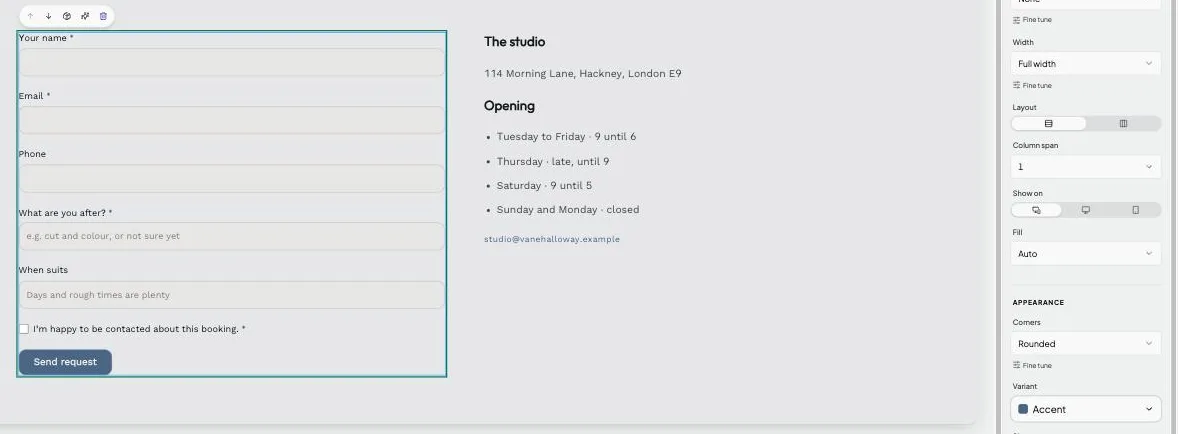
Add a contact or booking form and choose its fields. When someone sends it, you get an email. No plug-in and no second account.

  • Name, email, phone, message and consent fields
  • Required fields are checked before the form sends
  • Your own wording on the button
A booking form in the Joybird editor with name, email, phone and message fields and a Send request button.

A blog index that fills itself in.

A collection lists your pages using each page’s title, date and summary. Write a new post, republish, and it appears in the list. No copying and pasting.

  • Built for blogs, news and portfolios
  • Uses the title, date and summary you already wrote
  • Styled like the rest of your site
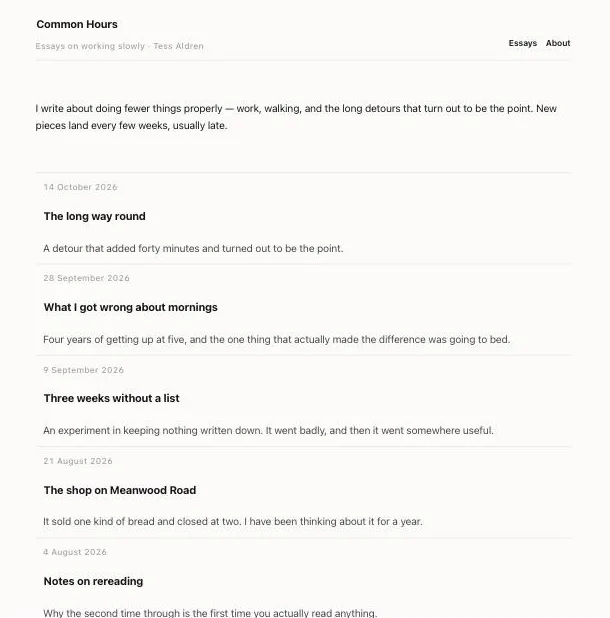
The Common Hours blog home page, listing five essays by date with a title and one-line summary each.

And the parts you’d never think to ask for.

Your own domain

Point your domain at Joybird and SSL is set up for you. Joybird notices when it goes live. On the Pro plan.

One design system

Set colours, fonts, page width and button style once. Every page follows.

Fonts, picked for you

A shortlist of good Google Fonts for headings and body text. Every one is easy to read.

Blocks you reuse

Save a header or a price row as your own block and drop it on any page.

Found in search

Every page publishes as fast, plain HTML with its own title, description and address.

More than one site

Run several sites from one account and switch between them from the sidebar.

See what’s free and what’s Pro →

Start building — free.

No credit card. No time limit on the free plan. Cancel whenever.

Start building — free